



|
Name |
iON TV |
|---|---|
|
Google Play Link |
GET IT ON
Google Play
|
|
Category |
Entertainment |
|
Developer |
iON Fibra |
| Last version | 1.8.1 |
|
Updated |
|
|
Compatible with |
Android 6.0+ |
Introduction to iON TV APK
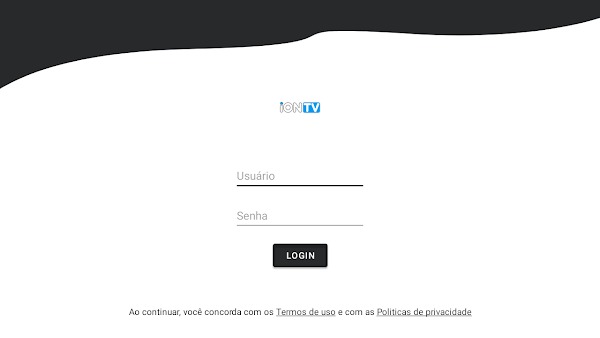
iON TV APK is a dedicated video streaming application built for Android smartphones, tablets, and smart TV boxes. Instead of relying on a traditional cable box or satellite dish, this installation package lets you sideload a portable television player straight onto your device. Once installed, it turns your screen into a compact media hub for live broadcasts.
The primary purpose of the app is to deliver live television streams and digital entertainment over a standard internet connection. You can browse through categories like breaking news, live sports, music channels, and family entertainment with a few quick taps. It acts as a straightforward bridge between online broadcast feeds and your mobile screen.
Key features include a clean channel guide, fast server switching, and adjustable video resolution settings to match your current data speed. Many versions also include a favorites tab so you do not have to scroll endlessly to find your go to morning news or weekend match. Because the interface is lightweight, switching between channels feels snappy rather than sluggish.
The biggest advantage is pure convenience when you are away from your living room television. You can catch a live game during a commute or keep up with local broadcasts while traveling without paying for bulky hardware. Its simple layout also means you spend less time digging through confusing menus and more time actually watching shows.
On the flip side, streaming quality depends heavily on your Wi Fi or mobile data stability, so weak connections can cause annoying buffering. Third party streaming apps can also experience occasional broken channel links or pop up ads that interrupt your viewing. In addition, installing via an APK file requires manual updates rather than automatic store patches.
This app is a solid pick for cord cutters, frequent travelers, and sports fans who want quick access to live broadcasts on the go. It works especially well for anyone with an older Android phone or TV box who needs a lightweight player that does not eat up storage space.
FAQs iON TV
What devices can run iON TV APK?
+
iON TV APK works on Android smartphones, tablets, and Android-based smart TV boxes or streaming sticks that allow manual app installations.
Do I need a fast internet connection to use iON TV APK?
+
A stable Wi-Fi or 4G/5G connection is recommended for smooth live streaming, though you can lower the video quality settings to prevent buffering on slower networks.
Why do some channels occasionally stop loading in iON TV APK?
+
Live broadcast links rely on external servers that sometimes go offline or undergo maintenance, so switching to an alternate server or refreshing the channel list usually fixes the issue.
Is iON TV APK available on the Google Play Store?
+
Because it is distributed as an APK package, you typically download it from third-party app repositories and enable installation from unknown sources in your Android settings.
Does iON TV APK require a paid subscription to watch channels?
+
Most builds offer free access to public and regional streams supported by in-app ads, meaning you do not need a monthly cable contract to start watching.
Discover More Interesting Apps
-
 Mod
GoodShort
v3.3.0.2130
47.00 Mb
Updated -
Mod
iDrama
v1.38.0
114.06 Mb
Updated -
Mod
AirScreen
v2.18.1
199.96 Mb
Updated -
Mod
Viva One
v11.65.1
19.87 Mb
Updated -
Mod
QuickTV
v2026.27.01
54.75 Mb
Updated -
Mod
NetShort
v2.5.0
159.00 Mb
Updated -
Rigi TV
v1.0.328
135.00 Mb
Updated -
Mod
Sea Soul
v2.1.2.1795667867
183.52 Mb
Updated -
Mod
StoReel
v3.2.2
70.52 Mb
Updated -
Mod
PineDrama
v47.9.5
110.31 Mb
Updated










Share Your Thoughts